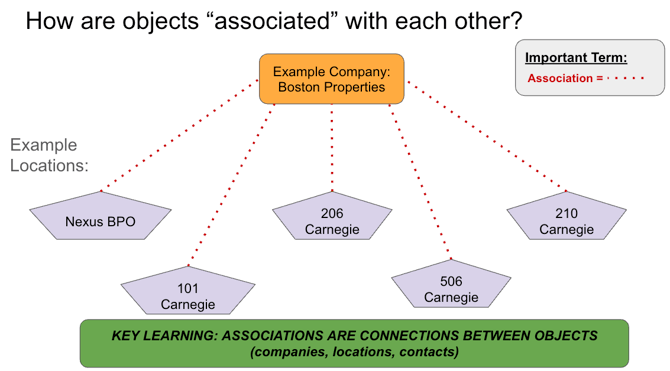
- Companies, locations, and contacts are connected to each other using "associations."
- An association simply shows a relationship between two objects—such as linking a contact to a company or assigning a location to a company.
- These associations make it easy to visualize and manage the real-world connections that exist between companies, locations, and contacts within HubSpot.
- By establishing associations, we can quickly navigate related records, streamline communications, and ensure each object (company, location, or contact) is accurately tied to the appropriate counterpart, reflecting real-world business relationships within the CRM.
- These videos shows how to do this:
- How are companies, locations, and contacts connected to each other?
- How do I add a new contact and associate it with a company and location?
- Adding to Locations: MUST ALWAYS ADD Location Association Label "Add Contact to Location in SB".
- Adding existing contact to new company MUST ALWAYS ADD Company Association Label "Add to New Company in SB"
- How do I associate an existing contact with a location?
- To Add MUST ALWAYS ADD Location Association Label "Add Contact to Location in SB".
- To remove, MUST ALWAYS ADD Location Association Label "Remove Contact from Location in SB".
- Intro to Association Labels: Not all relationships are the same. How can we see the specific nature of the relationship between a contact and a company, a contact and a location, or a company and a location?
KEY LEARNING: HS ALLOWS CLEAR AND POWERFUL ASSOCIATIONS BETWEEN OBJECTS
HubSpot associations provide a clearer and more accurate reflection of our clients’ organizational structures. Previously, ServiceBridge offered limited ways to connect contacts, companies, and locations, which added complexity to our processes. These SB limitations meant we often relied on workarounds and manual efforts to manage and synchronize duplicate records.
Diagram below visually shows how companies and locations are associated: